Cleared

Your bank balance may not be your real balance.

It hasn't counted Saturday's card payment, the check nobody has cashed, or the rent that leaves on the first. Cleared counts all of it, so the number on screen is the one you can spend against.

Get it onGoogle Play
  • Works offline
  • No bank login
  • No account
  • Nothing uploaded
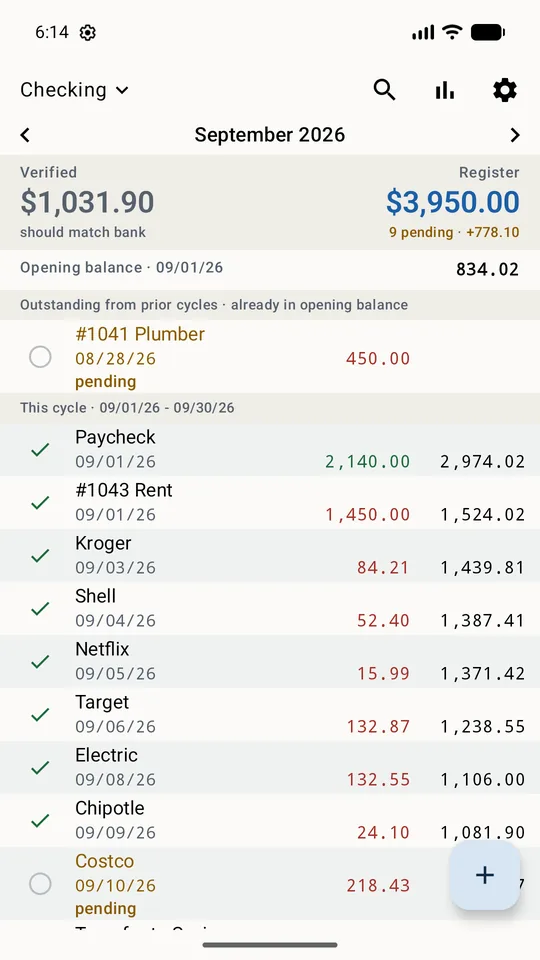
The Cleared register for a checking account, showing verified and register balances above a list of entries

Two balances

What the bank agrees with, and what you've actually committed.

Every account shows the figure that should match your statement beside the one that counts everything still on its way. The difference is everything that hasn't cleared yet.

What's coming

Not just what happened.

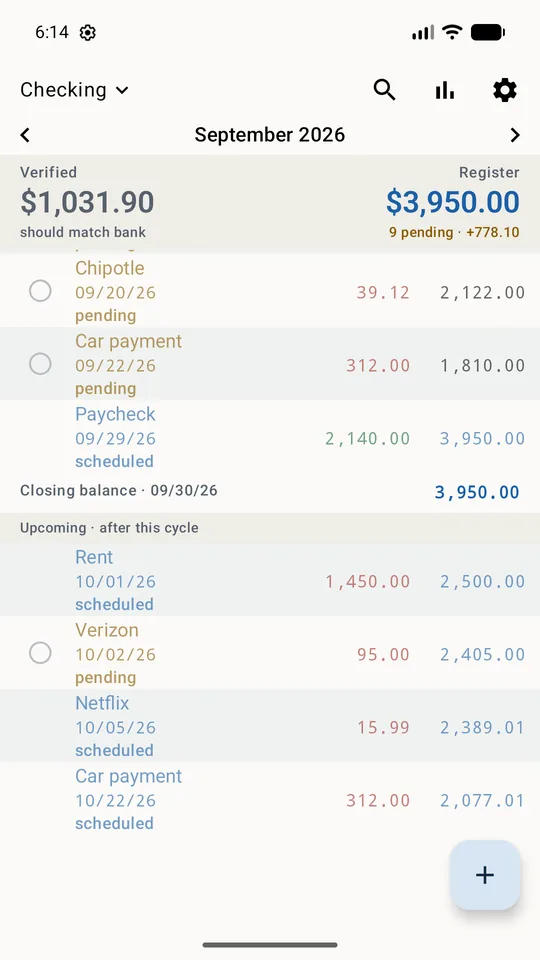
Rent, insurance, a paycheck, the car payment. Schedule it once and the running balance counts it from that day on, in blue, so an estimate never reads as a fact.

Every two weeks, the first Monday of the month, the 14th of every second month. Deposits land before payments on the same day, so a paycheck sits above the bills it covers.

Scheduled entries in blue counting forward into next month

Statements

Where it went, cycle by cycle.

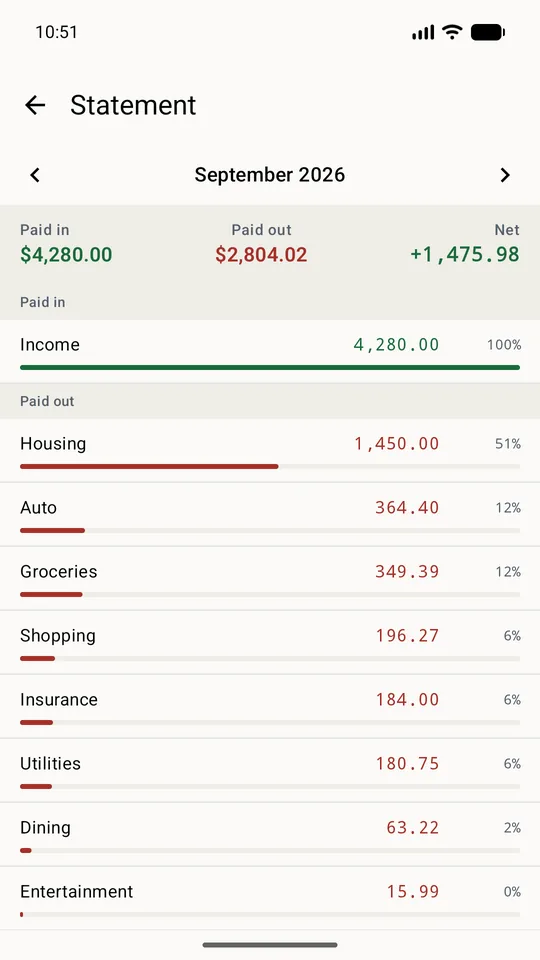
Paid in, paid out, and the categories in between for any statement cycle, with transfers kept apart from money actually spent. If your statement runs the 15th to the 14th, so does the register.

A monthly statement showing paid in, paid out and spending by category

Receipts

Kept with the entry they belong to.

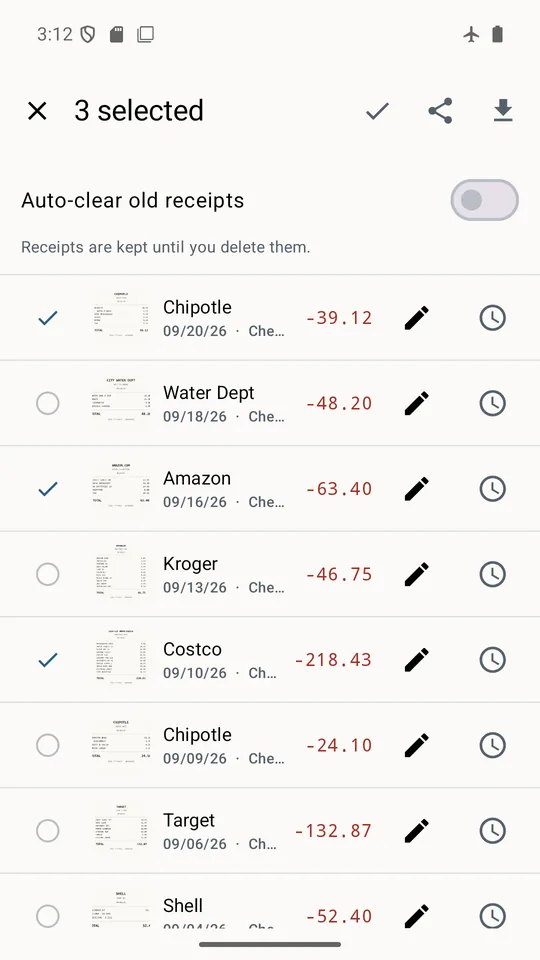
Photograph a receipt or pick one you already have, trim and straighten it, and attach as many as a long receipt needs.

Filing an expense claim? Tick the ones you need, or take a whole cycle at once, and hand them to your email app or save them as a zip.

A list of receipts with three selected for sharing

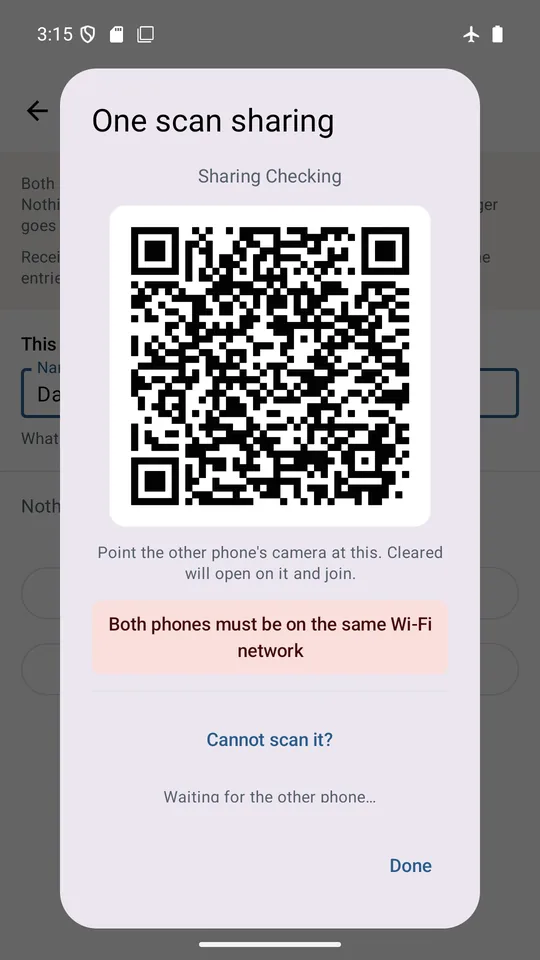
Share an account

One scan, straight between two phones.

Let another phone see the joint account while every other account stays private. They scan the code on your screen and their register fills in, read-only, over your own Wi-Fi. No account, no server.

A QR code for pairing a second phone to a shared account

No bank login. Nothing uploaded.

Your ledger lives on your phone.

No account, no sign-in, nothing connected to your bank. Your entries, receipts and settings stay on the device, so it works on a plane, in a basement, and with a bank no aggregator has heard of.

Back it up when you choose, to a file you keep.

And the rest

Any money you can count.

Checking, savings, a credit card, cash, a side business, a rental, the club account. Each gets its own currency and statement cycle.

Linked transfers

Money never leaves one account without arriving in the other, and clearing one side offers to clear the other.

Paying it down

Give a card or a loan its own register and watch the balance fall, with scheduled payments months ahead.

Reminders

A warning a month before the annual insurance, and again two weeks later — on only the bills you pick.

Quick entry

Add an entry from a Quick Settings tile or a long-press on the icon. The app lock still applies.

Search

By payee, category, note, check number or amount.

CSV in and out

Bring in a bank download, or take your register to a spreadsheet.

PIN and fingerprint

Lock the app behind your PIN or fingerprint.

Restore in one step

Restore straight from the first screen, so a new phone needs no setup.

Light and dark

With a page background of your own.

If you ever kept a paper check register, this is that.

With receipts attached. Free, supported by one small banner ad, and every feature works whether or not you ever pay anything.

Get it onGoogle Play